Yerel ve hesap-özel
MCP kimlik bilgileri, ayarlar ve geçmiş varsayılan olarak yalnız Windows hesabınızın LocalAppData alanında tutulur.
MCP server’larını keşfedin, önce tarayıp doğrulayarak kurun, Claude, Cursor, VS Code, Codex ve ChatGPT’ye tek gateway üzerinden bağlayın. Runtime, güncelleme ve tool çağrıları tek dashboard’da.
Power-Boost araçları canlı kataloğa eklenir; connector yol değişiklikleri 404’e düşmez, iptal edilen HTTP çağrıları bağlantı havuzunu bozmaz ve tüm araçlar hızlı yönlendirmeyle erişilebilir kalır.
Windows için yerel, kişisel bir MCP yöneticisi. Sade bir dashboard ile MCP server’larını keşfeder, tek tıkla kurar, tek bir yerel gateway URL’i ile AI uygulamalarına bağlar ve çalışan tool çağrılarını izlersiniz. Bulutta hesap yok, kurumsal kurulum yok.
MCP araçlarını komut satırı karmaşası olmadan, yerel ve geri alınabilir bir yaşam döngüsüyle yönetin.
MCP kimlik bilgileri, ayarlar ve geçmiş varsayılan olarak yalnız Windows hesabınızın LocalAppData alanında tutulur.
Runtime ve alan gereksinimleri önceden kontrol edilir; kurulum initialize ve tools/list çağrılarıyla gerçekten sınanır.
Güncelleme, onarım, yedekleme ve AI istemci bağlantıları güvenli işlem sınırları ve geri alma desteğiyle yönetilir.
Sade kişisel katalogdan MCP server’larını bulun.
Seçtiğiniz MCP’yi tek tıkla yerelde kurun.
AI uygulamalarını tek yerel gateway URL’i ile bağlayın.
Tool çağrılarını ve durumu tek dashboard’dan izleyin.
MCP server’larını sade bir kişisel katalogdan bulun.
Katalog ve manuel MCP tariflerini önce tarar; runtime ve alanları doğruladıktan sonra kurar.
Tüm MCP’ler için tek bir yerel gateway URL’i.
Claude, Cursor, VS Code, Codex için bağlama yardımcıları.
Son tool çağrılarını dashboard’dan canlı izleyin.
Eksik runtime’ları kurun, mevcutları GUI’den güncelleyin.
Kurulu MCP ve ayarlarınızı yedekleyip geri yükleyin.
Yeni sürüm metadatasını ve SHA-256 değerini denetler; imzalı paketlerde yayıncı doğrulaması da uygular.
Gerçek uygulama ekranları.
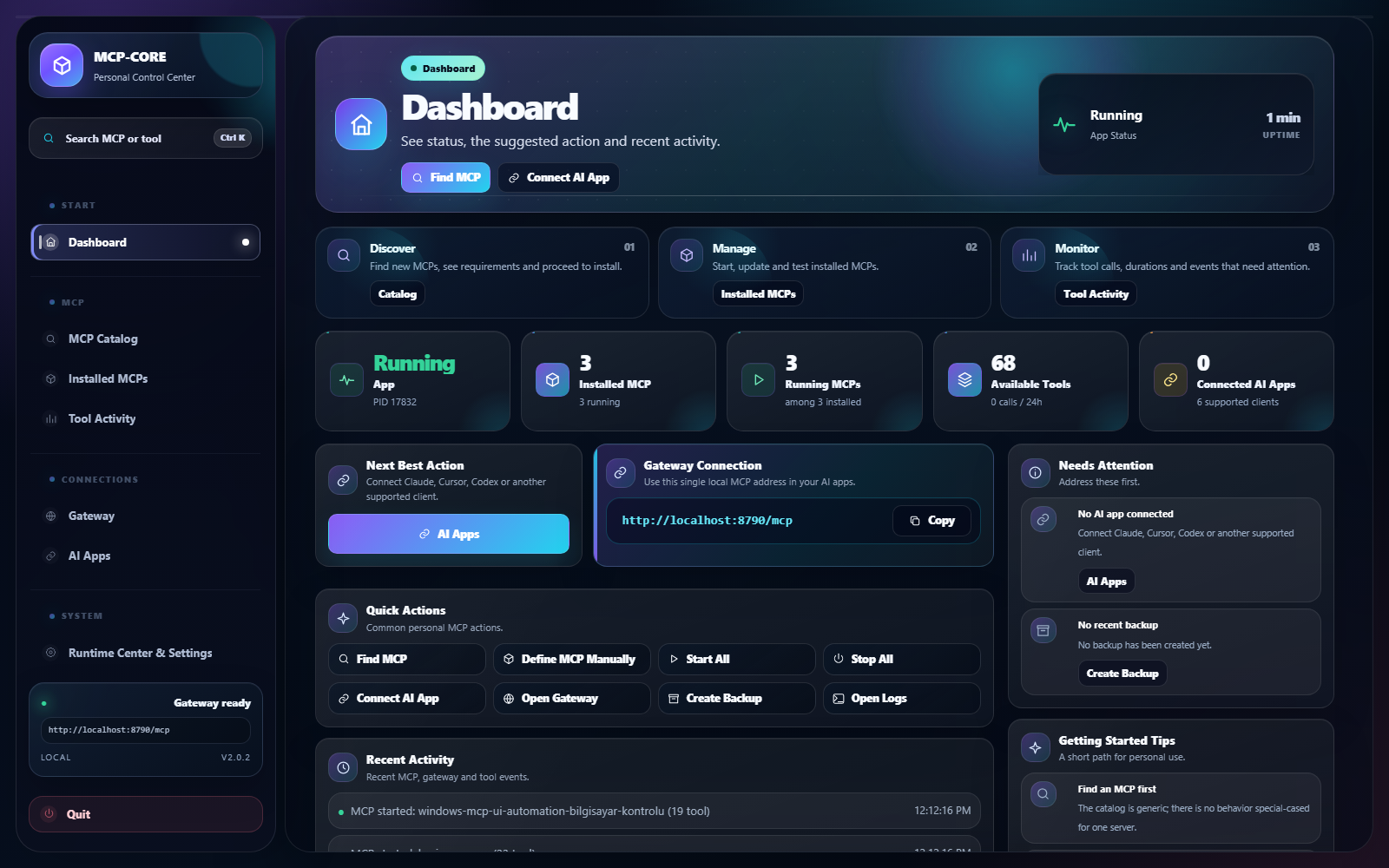
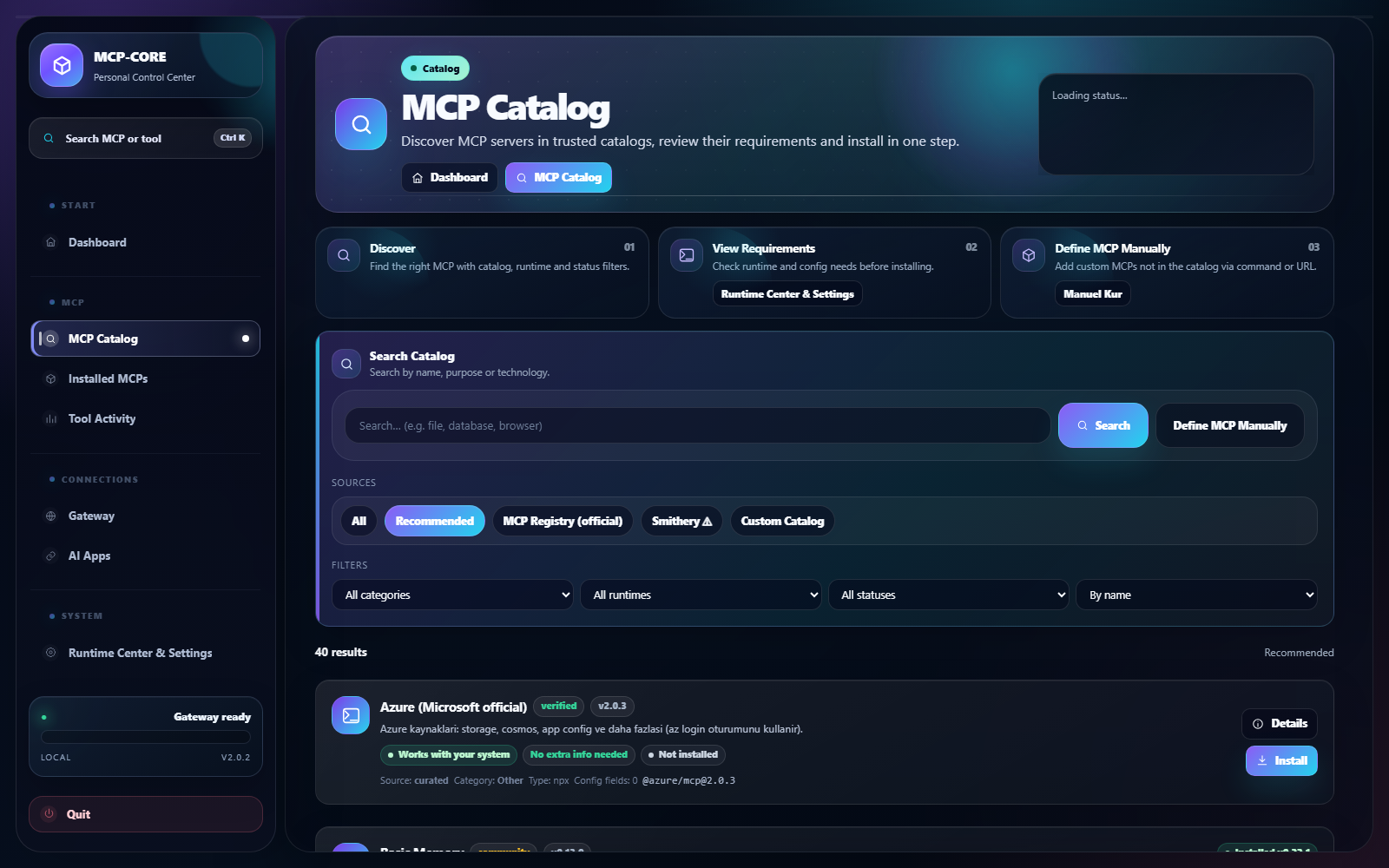
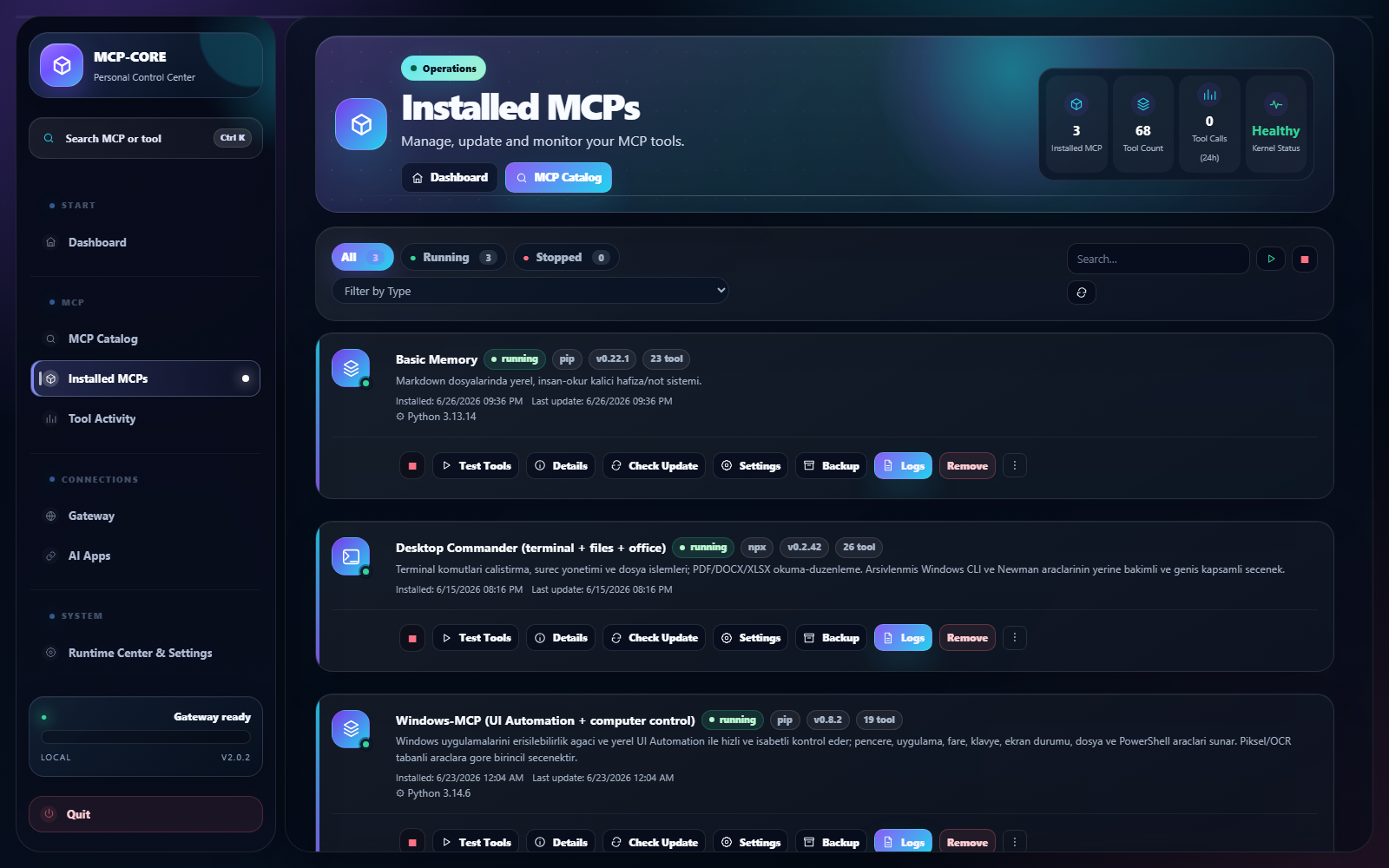
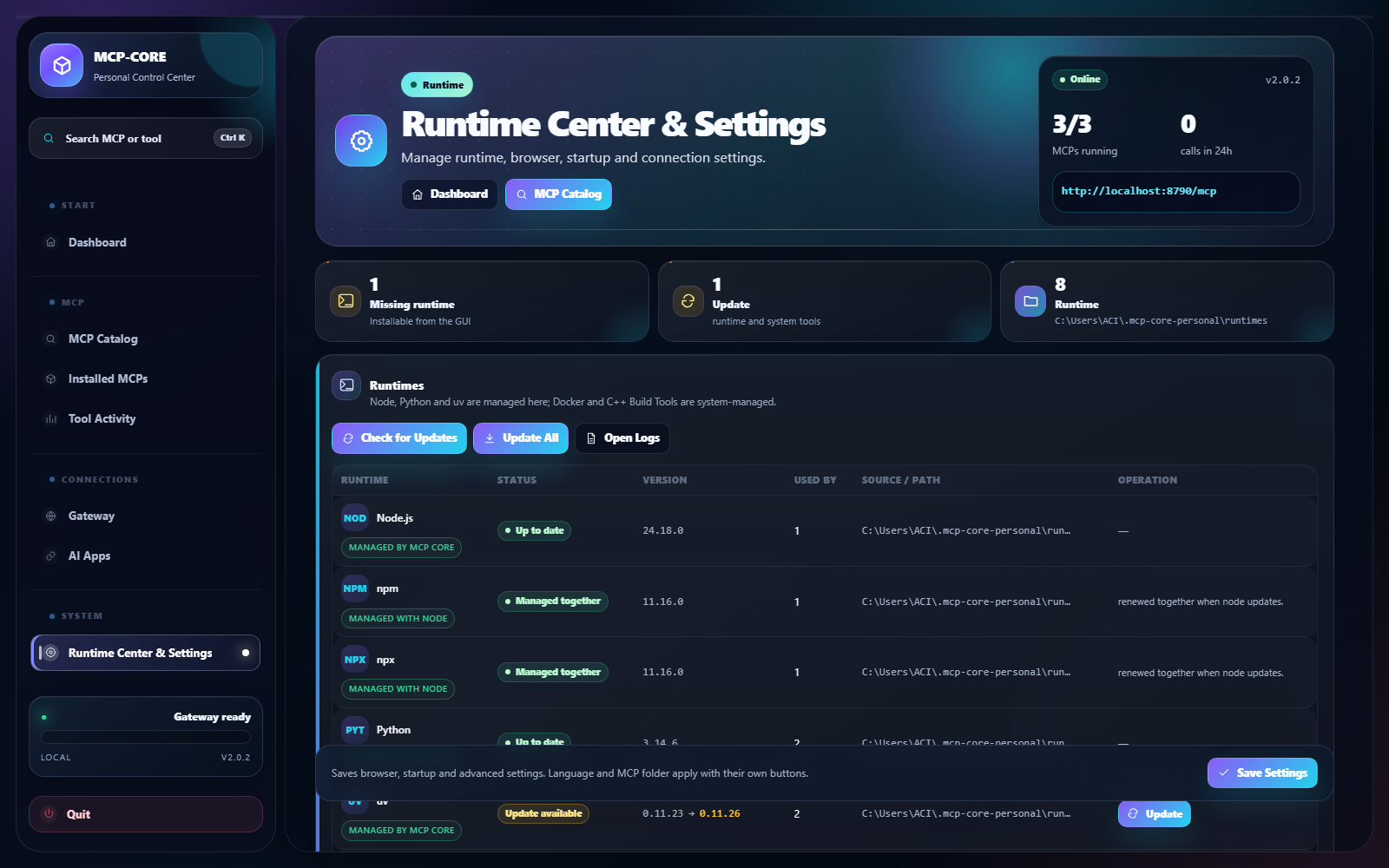
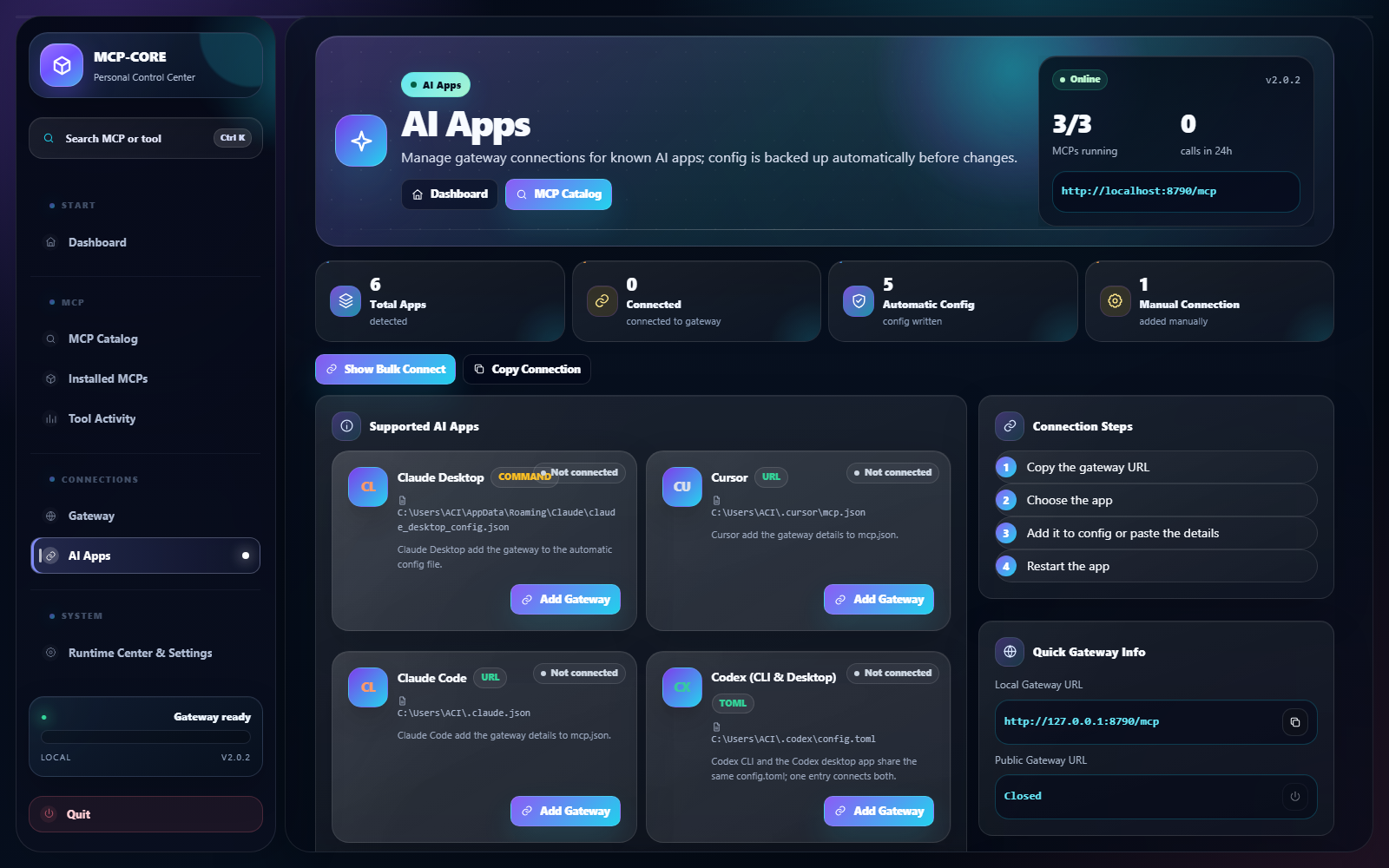
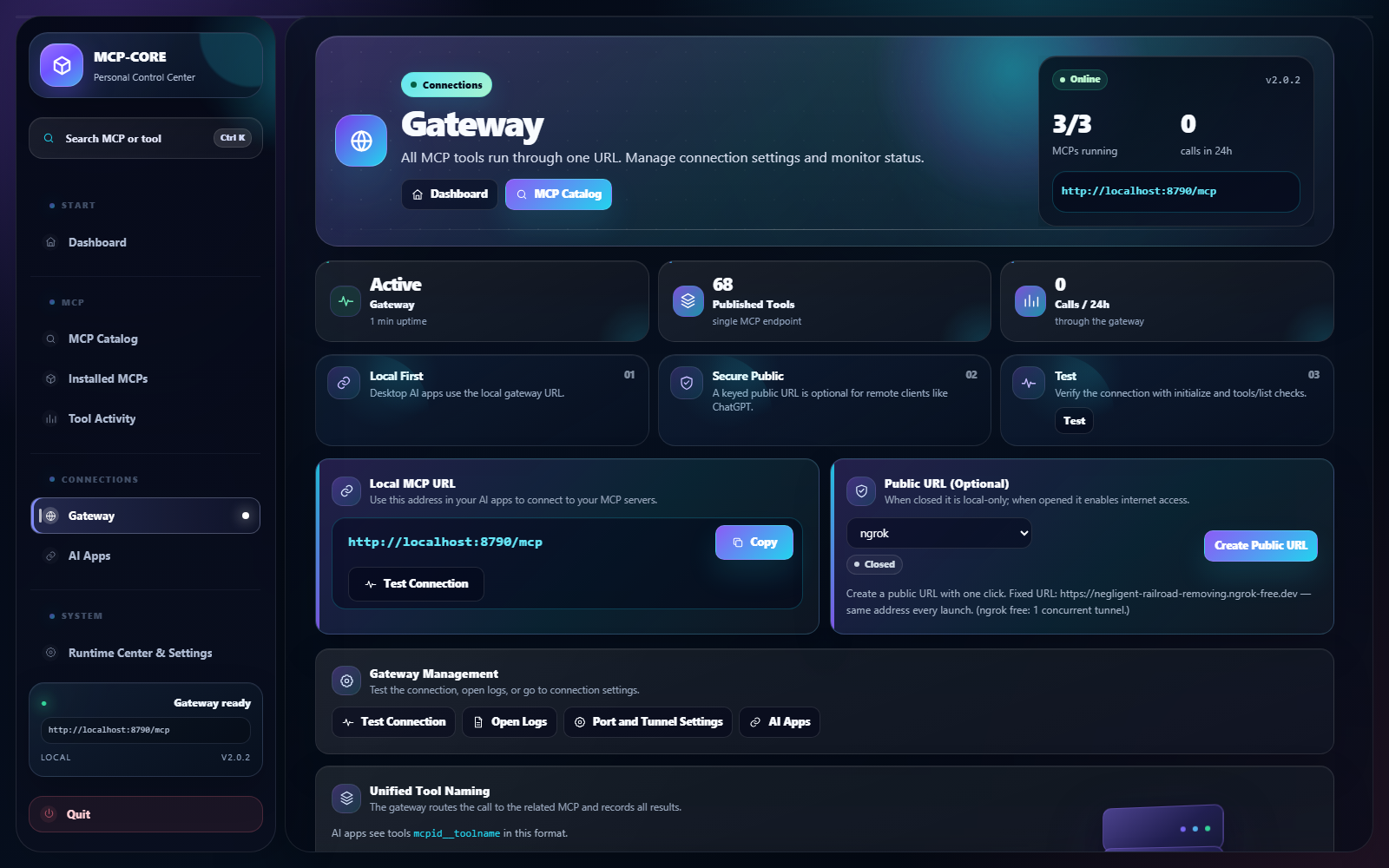
Şu an yalnızca Windows için sunulmaktadır.
v2.1.1 build ve smoke kontrollerini geçti. Bu kurulum imzasızdır; Windows bir güvenlik uyarısı gösterebilir. Dosya bütünlüğünü aşağıdaki SHA-256 değeriyle doğrulayabilirsiniz.
Evet. Kişisel kullanım için ücretsiz bir Windows uygulamasıdır.
Şu an yalnızca Windows 10/11 (x64). macOS ve Linux planlanmıyor.
Uygulama yereldir; MCP’ler, ayarlar ve geçmiş bilgisayarınızda tutulur. Web sitesi yalnızca ürün bilgisi, indirme ve güncelleme verisi sunar.
Gerektiğinde uygulama Node.js / Python gibi runtime’ları sizin için kurabilir; Runtime Merkezi’nden yönetirsiniz.
Uygun olduğunda Claude, Cursor, VS Code, Claude Code, Codex ve ChatGPT gibi MCP destekli uygulamalar.
Evet. Komut, npm/Python paketi, Docker tarifi veya HTTPS server.json URL’i önce kod çalıştırmadan taranır; algılanan alanları onayladıktan sonra kurulur.
Hayır. Uygulama yerel çalışır; kimlik bilgileri ve MCP verileri Windows kullanıcı hesabınıza özel dizinde kalır. Yalnız seçtiğiniz MCP servisleriyle gerekli ağ bağlantıları kurulur.
Güncelleme transaction olarak uygulanır ve protokol testi başarısızsa önceki çalışan paket, manifest ve çalışma durumu geri yüklenir.
Windows için ücretsizdir. Mevcut kararlı kurulumu indirin veya önce hızlı başlangıç dokümantasyonunu inceleyin.